# flutter_barcode_sdk
**Repository Path**: yushulx/flutter_barcode_sdk
## Basic Information
- **Project Name**: flutter_barcode_sdk
- **Description**: No description available
- **Primary Language**: Unknown
- **License**: Not specified
- **Default Branch**: 1.2.2
- **Homepage**: None
- **GVP Project**: No
## Statistics
- **Stars**: 0
- **Forks**: 0
- **Created**: 2021-10-28
- **Last Updated**: 2021-10-28
## Categories & Tags
**Categories**: Uncategorized
**Tags**: None
## README
# flutter_barcode_sdk

The Flutter barcode SDK plugin is a wrapper for [Dynamsoft Barcode Reader SDK](https://www.dynamsoft.com/barcode-reader/overview/). It aims to cover Android, iOS, Web, Windows, Linux and macOS, supporting linear barcode, QR Code, DataMatrix, MaxiCode, PDF417, etc.
## What You Should Know About Dynamsoft Barcode SDK
- [](https://www.dynamsoft.com/barcode-reader/downloads)
- [](https://www.dynamsoft.com/customer/license/trialLicense/?product=dbr)
## Build Configuration
### Android
Change the minimum Android sdk version to 21 (or higher) in your `android/app/build.gradle` file.
```
minSdkVersion 21
```
### iOS
Add the keys to `ios/Runner/Info.plist` to make camera work:
```
NSCameraUsageDescription
Can I use the camera please?
NSMicrophoneUsageDescription
Can I use the mic please?
```
### Desktop
**Windows & Linux**
Install `CMake` and `platform-specific C++ compiler`.
**macOS**
Install `Xcode`.
To make the demo app work on macOS:
- Disable `com.apple.security.app-sandbox` and enable `com.apple.security.files.user-selected.read-write` in `example/macos/Runner/DebugProfile.entitlements`:
```xml
com.apple.security.app-sandbox
com.apple.security.cs.allow-jit
com.apple.security.network.server
com.apple.security.files.user-selected.read-write
```
- Import `DynamsoftBarcodeReader.h` to the bridging header file.
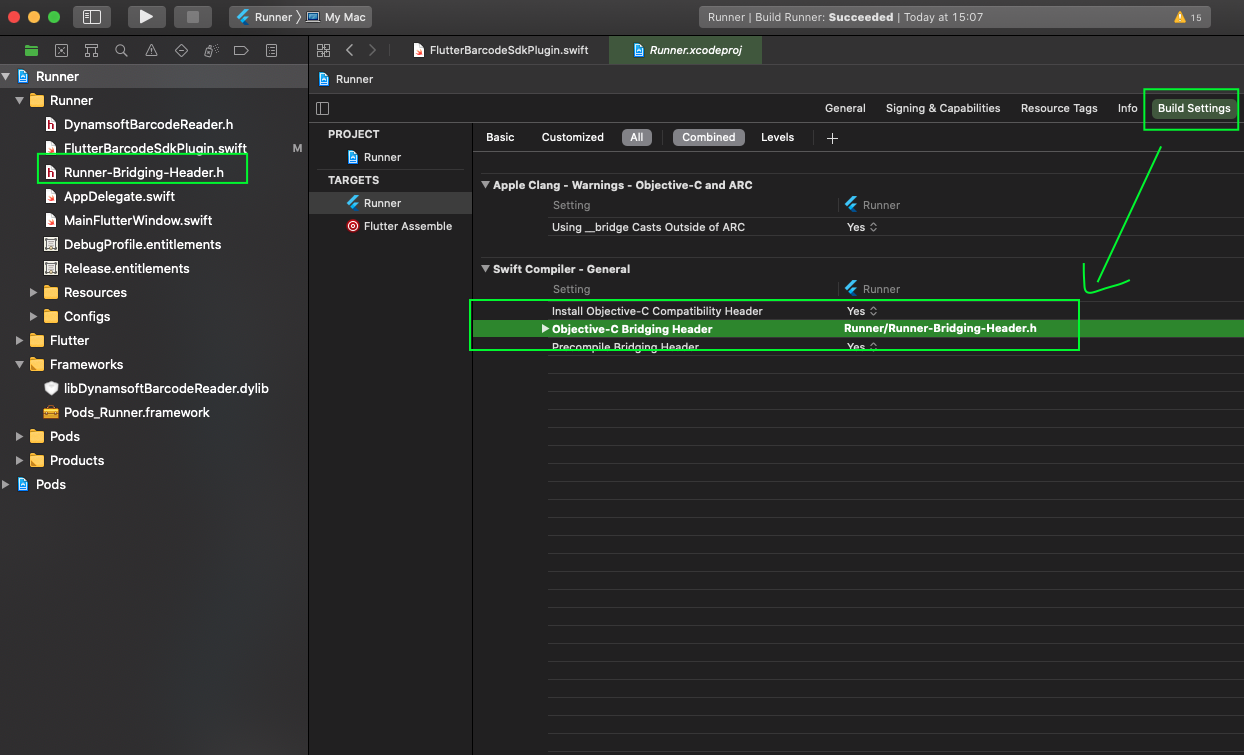
### Web
Include `` to `index.html`.
There are two editions: [compact edition and full edtion](https://www.npmjs.com/package/dynamsoft-javascript-barcode). The compact edition is used as the default. To enable the full edition, you need to add the following line to `index.html` after including the JS library.
```html
```
## Try Barcode Decoding Example
### Mobile
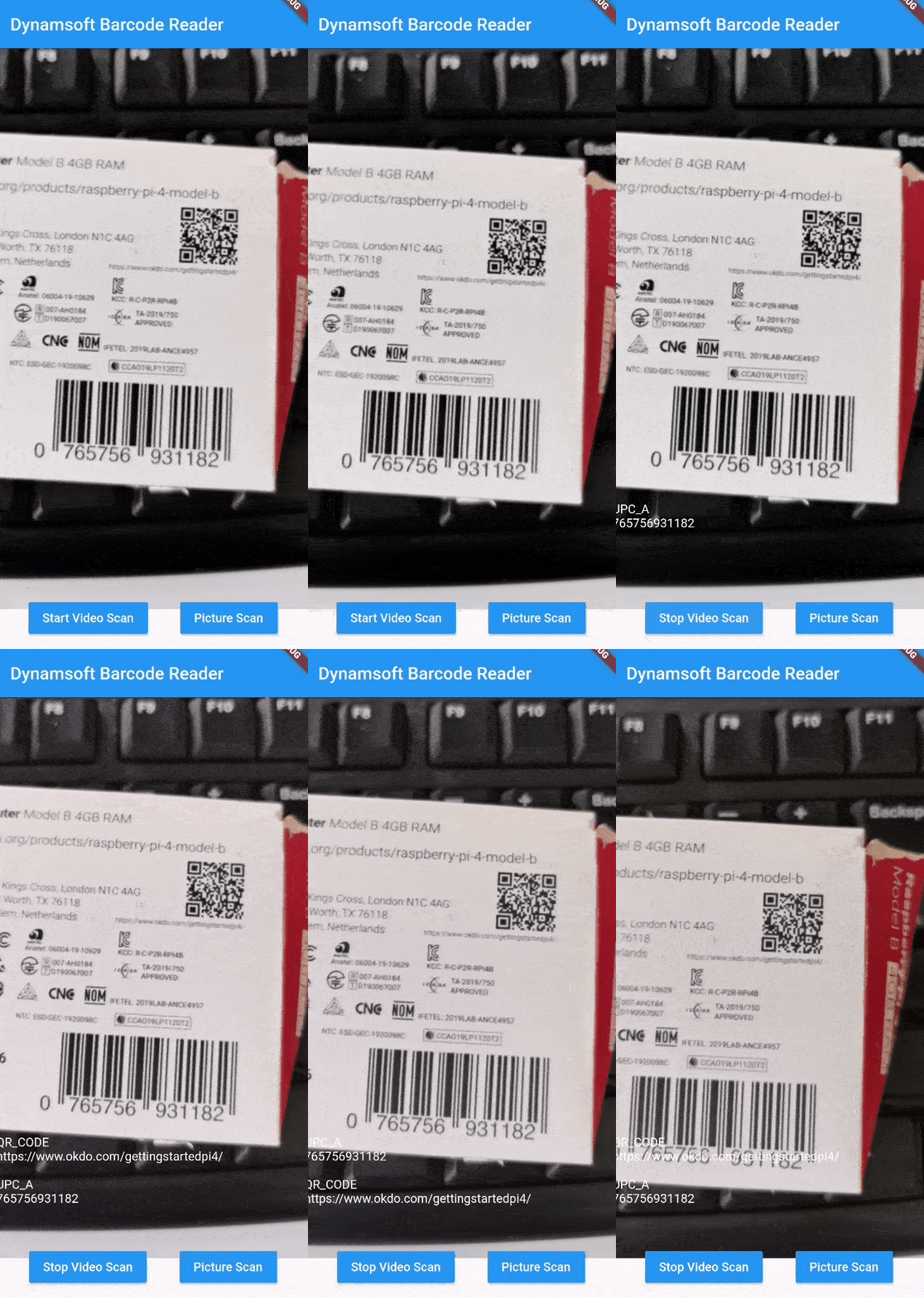
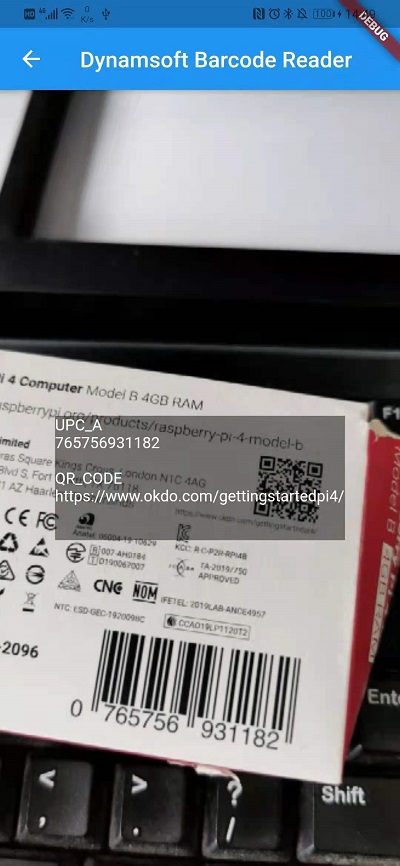
The example allows users to scan barcodes via the camera video stream in real-time or read barcodes by taking a picture.
```
cd example
flutter run -d
```
Video Scan
Picture Scan
For building Android release app, configure `build.gradle` and corresponding proguard file:
**build.gradle**
```
buildTypes {
release {
// TODO: Add your own signing config for the release build.
// Signing with the debug keys for now, so `flutter run --release` works.
signingConfig signingConfigs.debug
proguardFiles getDefaultProguardFile('proguard-android-optimize.txt'), 'proguard-rules.pro'
}
}
```
**proguard-rules.pro**
```
-keep class com.dynamsoft.dbr.** { *; }
```
### Windows, Linux and macOS Desktop
Input a valid image path for barcode decoding.
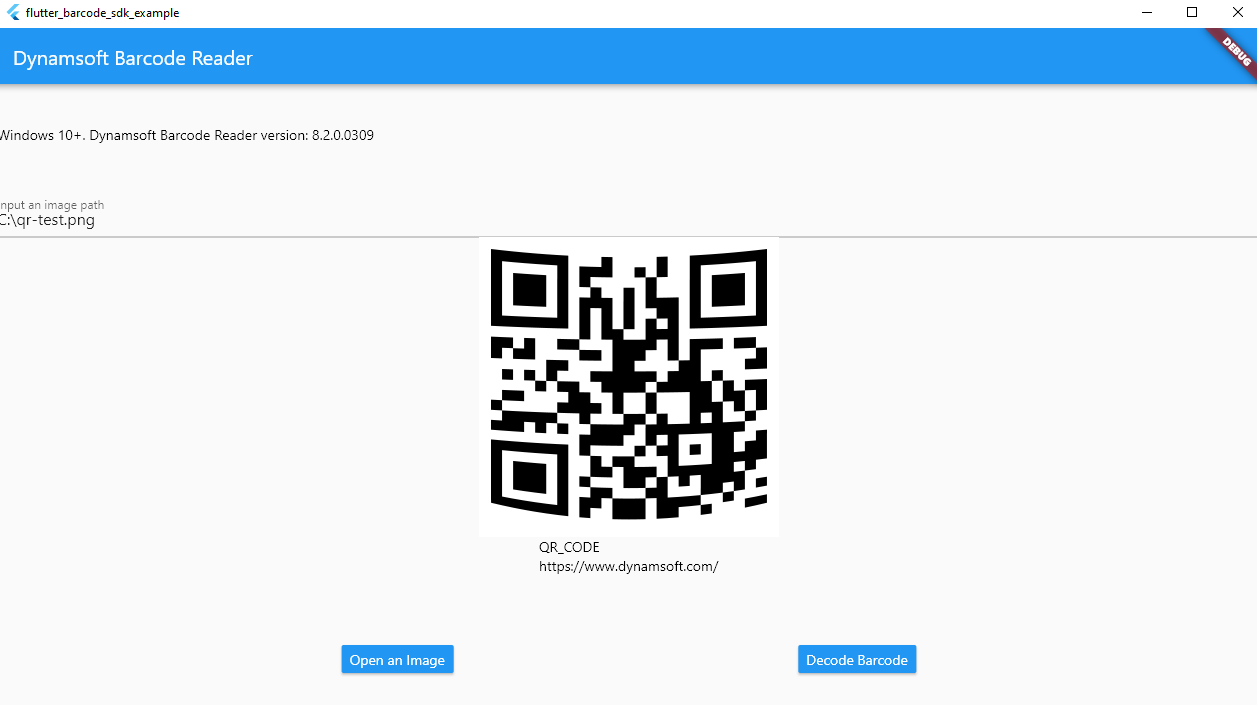
- Windows
```
cd example
flutter run -d windows
```
- Linux
```
cd example
flutter run -d linux
```
- macOS
```
cd example
flutter run -d macos
```
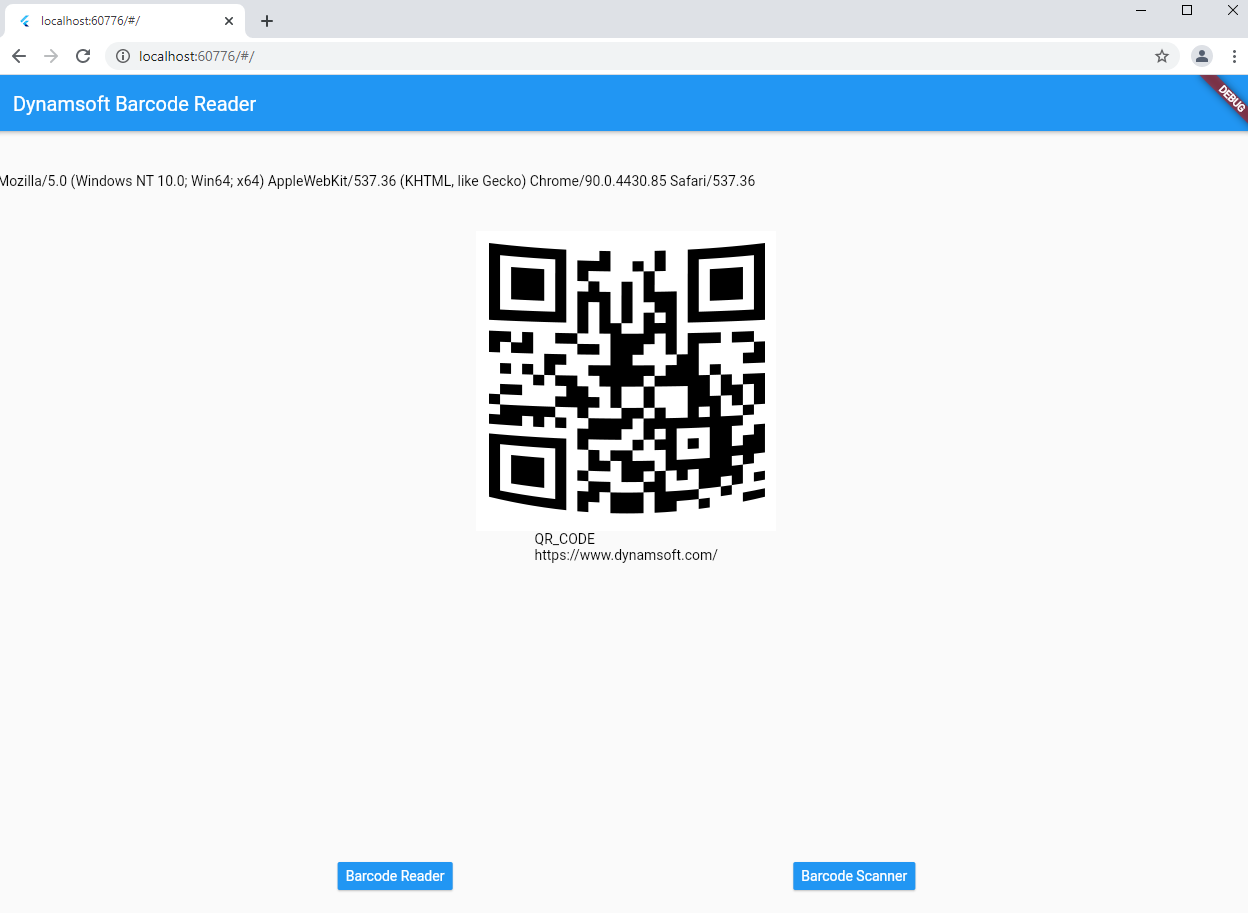
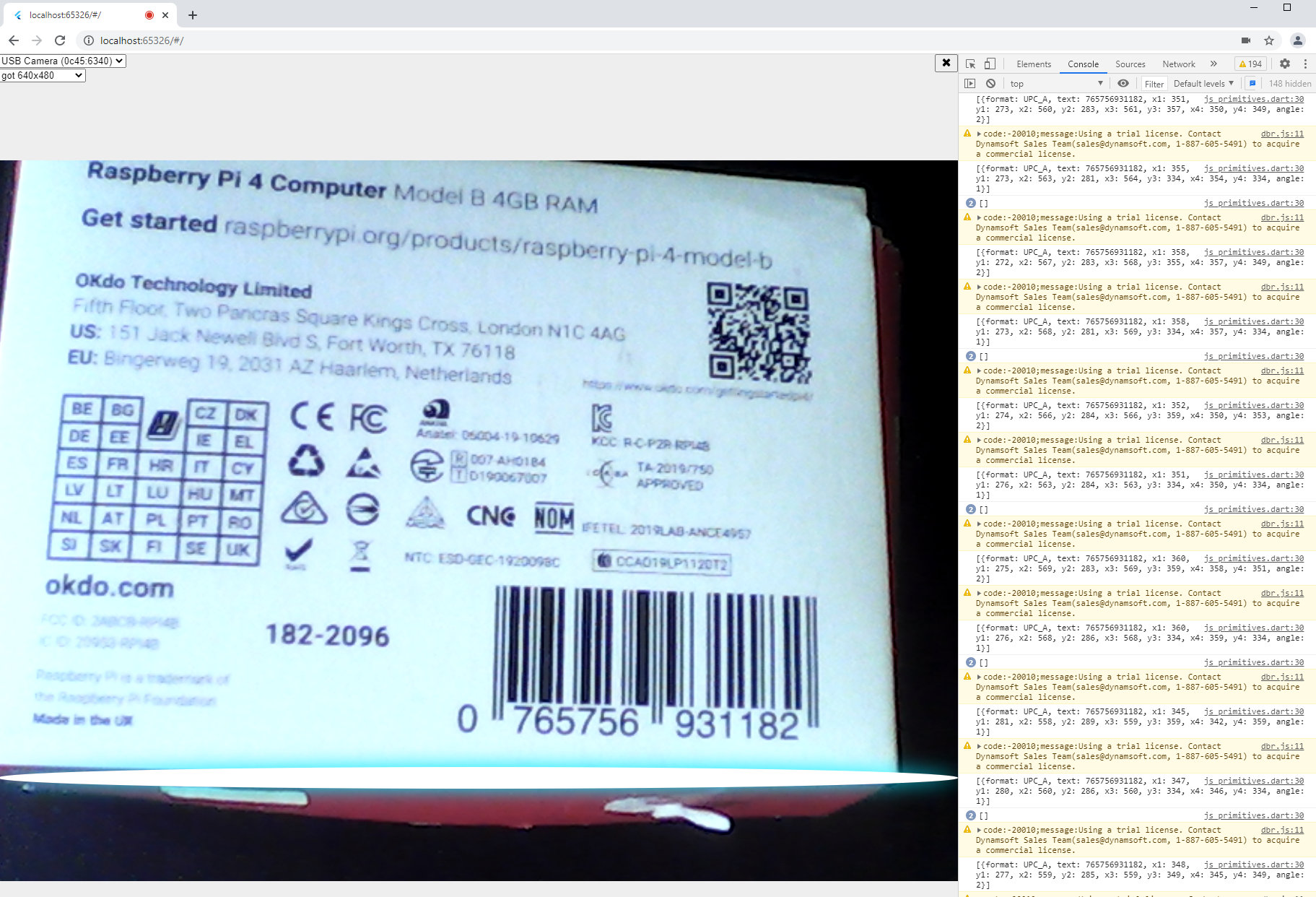
### Web Browser
```
cd example
flutter run -d chrome
```
Barcode Reader
Barcode Scanner
## Currently Supported Platforms
- **Android**
- **iOS**
- **Windows**
- **Linux**
- **macOS**
- **Web**
## API Compatibility
| Methods | Android | iOS | Windows | Linux | macOS | Web|
| ----------- | ----------- | ----------- | ----------- |----------- |----------- |----------- |
| `Future setLicense(String license) async` | :heavy_check_mark: | :heavy_check_mark: | :heavy_check_mark: | :heavy_check_mark: |:heavy_check_mark: | :x: |
| `Future> decodeFile(String filename) async` | :heavy_check_mark: | :heavy_check_mark: | :heavy_check_mark: |:heavy_check_mark: | :heavy_check_mark: |:heavy_check_mark: |
| `Future> decodeFileBytes(Uint8List bytes) async` | :heavy_check_mark: | :x: | :heavy_check_mark: | :heavy_check_mark: | :x: |:x: |
| `Future> decodeImageBuffer(Uint8List bytes, int width, int height, int stride, int format) async` | :heavy_check_mark: | :heavy_check_mark: | :heavy_check_mark: |:heavy_check_mark: | :x: |:x: |
| `Future decodeVideo(Function callback) async` | :x: | :x: | :x: | :x: |:x: | :heavy_check_mark: |
| `Future closeVideo() async` | :x: | :x: | :x: | :x: |:x: | :heavy_check_mark: |
| `Future setBarcodeFormats(int formats) async` | :heavy_check_mark: | :heavy_check_mark: | :heavy_check_mark: | :heavy_check_mark: |:heavy_check_mark: | :heavy_check_mark: |
| `Future getParameters() async` | :heavy_check_mark: | :heavy_check_mark: | :heavy_check_mark: | :heavy_check_mark: |:heavy_check_mark: | :heavy_check_mark: |
| `Future setParameters(String params)` async | :heavy_check_mark: |:heavy_check_mark: | :heavy_check_mark: | :heavy_check_mark: |:heavy_check_mark: | :heavy_check_mark: |
## Supported Barcode Symbologies
- Linear Barcodes (1D)
- Code 39 (including Code 39 Extended)
- Code 93
- Code 128
- Codabar
- Interleaved 2 of 5
- EAN-8
- EAN-13
- UPC-A
- UPC-E
- Industrial 2 of 5
- 2D Barcodes
- QR Code (including Micro QR Code and Model 1)
- Data Matrix
- PDF417 (including Micro PDF417)
- Aztec Code
- MaxiCode (mode 2-5)
- DotCode
- Patch Code
- GS1 Composite Code
- GS1 DataBar
- Omnidirectional,
- Truncated, Stacked, Stacked
- Omnidirectional, Limited,
- Expanded, Expanded Stacked
- Postal Codes
- USPS Intelligent Mail
- Postnet
- Planet
- Australian Post
- UK Royal Mail
## Usage
- Initialize Flutter barcode sdk:
```dart
// Windows, Linux, macOS, iOS and Android
_barcodeReader = FlutterBarcodeSdk();
// Web
_barcodeReader = FlutterBarcodeSdk();
await _barcodeReader.init();
```
- Set a license key:
```dart
_barcodeReader.setLicense('LICENSE-KEY');
```
- Read barcodes from an image file:
```dart
List results = await _barcodeReader.decodeFile(image-path);
```
- Read barcodes from image file bytes:
```dart
Uint8List bytes = await File(image-path).readAsBytes();
List results = await _barcodeReader.decodeFileBytes(bytes);
```
- Read barcodes from video stream [CameraImage](https://pub.dev/documentation/camera/latest/camera/CameraImage-class.html):
```dart
CameraImage availableImage;
int format = FlutterBarcodeSdk.IF_UNKNOWN;
switch (availableImage.format.group) {
case ImageFormatGroup.yuv420:
format = FlutterBarcodeSdk.IF_YUV420;
break;
case ImageFormatGroup.bgra8888:
format = FlutterBarcodeSdk.IF_BRGA8888;
break;
default:
format = FlutterBarcodeSdk.IF_UNKNOWN;
}
List results = _barcodeReader.decodeImageBuffer(
availableImage.planes[0].bytes,
availableImage.width,
availableImage.height,
availableImage.planes[0].bytesPerRow,
format);
```
- Read barcodes from web browser video stream:
```dart
_barcodeReader.decodeVideo(
(results) => {updateResults(results)});
```
- Set barcode formats:
```dart
await _barcodeReader.setBarcodeFormats(BarcodeFormat.ALL);
```
- Get current barcode detection [parameters](https://www.dynamsoft.com/barcode-reader/parameters/reference/image-parameter/?ver=latest):
```dart
String params = await _barcodeReader.getParameters();
// Convert parameters to a JSON object.
dynamic obj = jsonDecode(params);
// Modify parameters.
if (obj['ImageParameter'] != null) {
obj['ImageParameter']['DeblurLevel'] = 5;
} else
obj['deblurLevel'] = 5;
```
- Set barcode detection parameters:
```dart
int ret = await _barcodeReader.setParameters(json.encode(obj));
```
## How to Use the License Key
### Mobile
No license required. Instead, you need to get an private organization ID and update the plugin code:
```java
parameters.organizationID = "200001";
```
By default, the public organization ID `200001` authorize developers to use the SDK for 7 days.
### Desktop
Invoke the `setLicense()` method:
```dart
_barcodeReader.setLicense('LICENSE-KEY');
```
### Web
Update the `PRODUCT-KEYS` :
```html
```
## License Agreement
https://www.dynamsoft.com/Products/barcode-reader-license-agreement.aspx
## Contact Us