# react-native-open-share
**Repository Path**: pujiaolin/react-native-open-share
## Basic Information
- **Project Name**: react-native-open-share
- **Description**: Wechat, QQ, Weibo, Alipay in ReactNative
- **Primary Language**: Objective-C
- **License**: Not specified
- **Default Branch**: master
- **Homepage**: None
- **GVP Project**: No
## Statistics
- **Stars**: 0
- **Forks**: 1
- **Created**: 2017-09-15
- **Last Updated**: 2024-06-03
## Categories & Tags
**Categories**: Uncategorized
**Tags**: None
## README
# react-native-open-share
Integrate wechat,weibo,qq,alipay [share,payment,login] to your react native application.
### built from [OpenShare](https://github.com/100apps/openshare)
## Screen Shot
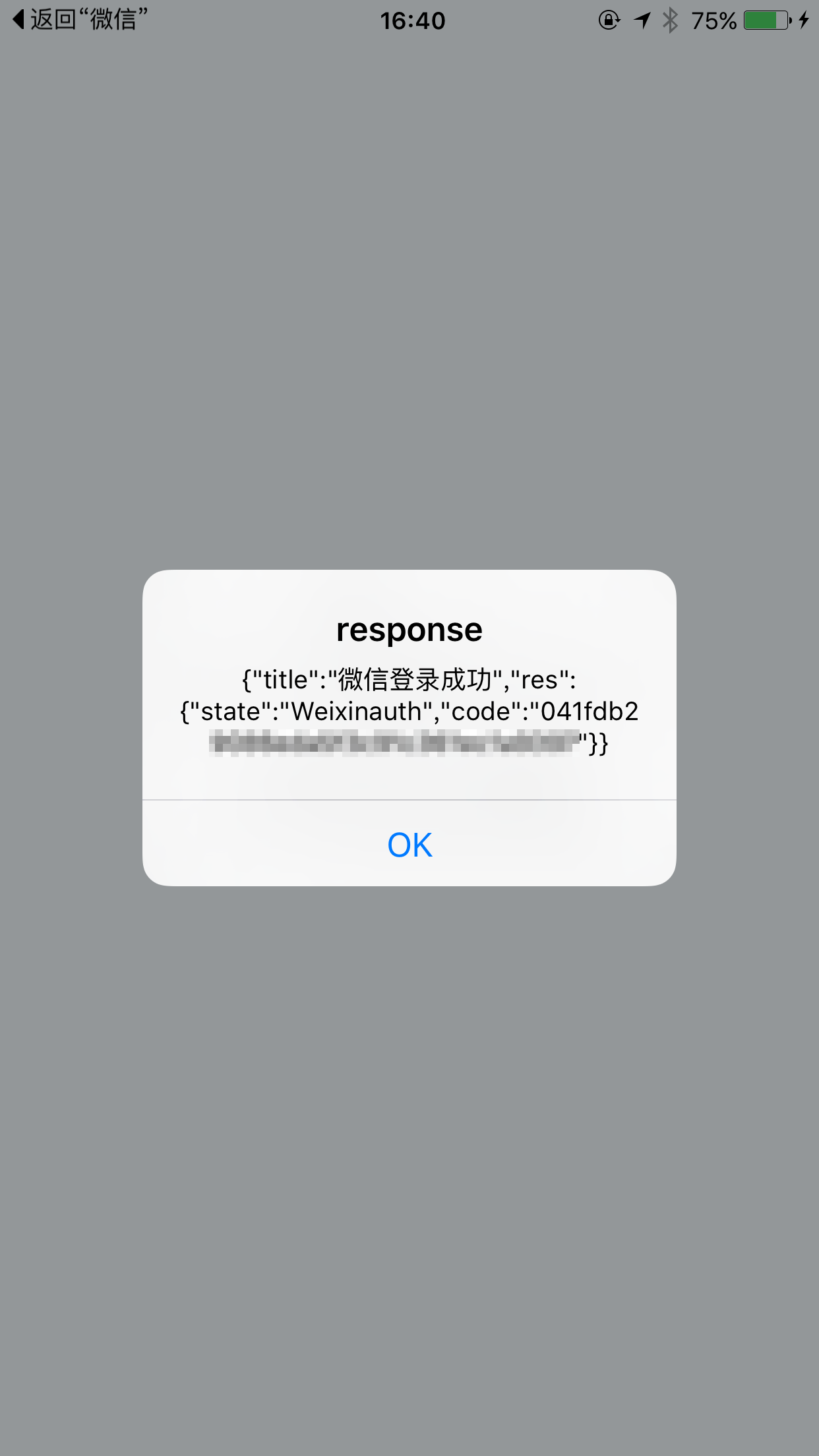
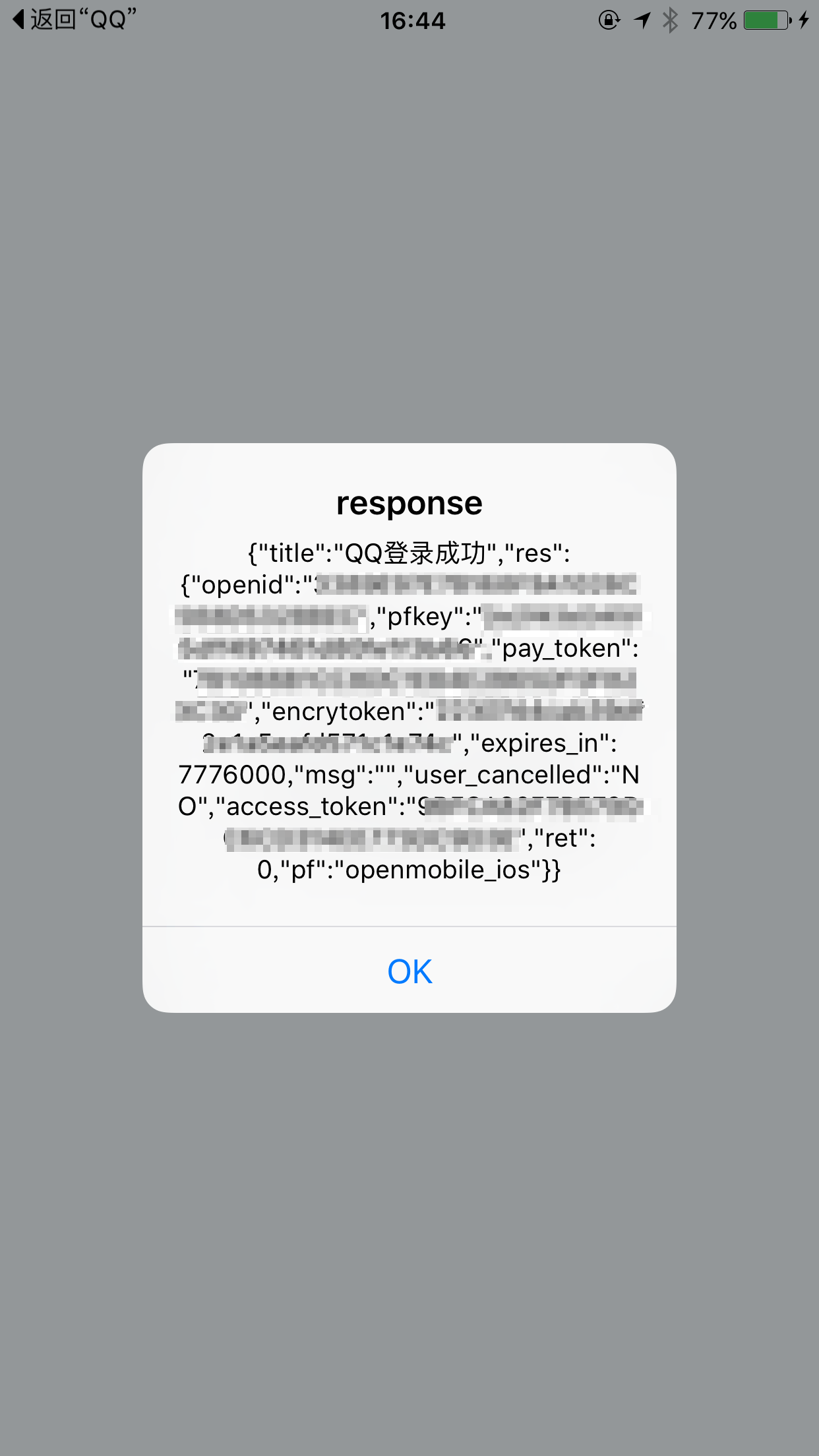 ##Installation
1.Run `npm install https://github.com/mozillo/react-native-open-share.git --save` in your project directory.
2.Select your project , and find your [ ProjectName ] directory , Select it and right click "New Group", and rename it to "OpenShare", right click "Add Files to 'App' ...", select all files under the ./node_modules/react-native-open-share/src/ directory , and added them to OpenShare group.
3.Edit Info.plist, Open As => Source code, append ***new Info.plist code*** content after
```
```
new Info.plist code:
```
CFBundleURLTypes
CFBundleURLName
RNShare
CFBundleURLSchemes
wxd930ea5d5a258f4f
tencent1103194207
tencent1103194207.content
QQ41C1685F
wb402180334
renrenshare228525
fb776442542471056
```
4.Edit AppDelegate.m :
Add header file:
```
#import "OpenShareHeader.h"
```
Add these code to "(BOOL)application:(UIApplication *)application didFinishLaunchingWithOptions:(NSDictionary *)launchOptions" :
```
[OpenShare connectQQWithAppId:@"1103194207"];
[OpenShare connectWeiboWithAppKey:@"402180334"];
[OpenShare connectWeixinWithAppId:@"wxd930ea5d5a258f4f"];
[OpenShare connectRenrenWithAppId:@"228525" AndAppKey:@"1dd8cba4215d4d4ab96a49d3058c1d7f"];
```
and add this method after "(BOOL)application:(UIApplication *)application didFinishLaunchingWithOptions:(NSDictionary *)launchOptions" block:
```
-(BOOL)application:(UIApplication *)application openURL:(NSURL *)url sourceApplication:(NSString *)sourceApplication annotation:(id)annotation{
//第二步:添加回调
if ([OpenShare handleOpenURL:url]) {
return YES;
}
//这里可以写上其他OpenShare不支持的客户端的回调,比如支付宝等。
return YES;
}
```
###Done.
## Usage
example:
```
'use strict';
var React = require('react-native');
var {
AppRegistry,
StyleSheet,
Text,
View,
TouchableOpacity,
DeviceEventEmitter,
AlertIOS,
} = React;
var openShare = require('react-native-open-share');
var App = React.createClass({
_wechatLogin: function() {
var _this = this;
openShare.wechatLogin();
if(!_this.wechatLogin) {
_this.wechatLogin = DeviceEventEmitter.addListener(
'managerCallback',
(response) => {
AlertIOS.alert(
'response',
JSON.stringify(response)
);
_this.wechatLogin.remove();
delete _this.wechatLogin;
}
);
}
},
render: function() {
return (
WeChat Login
Welcome to React Native!
To get started, edit index.ios.js
Press Cmd+R to reload,{'\n'}
Cmd+D or shake for dev menu
);
}
});
var styles = StyleSheet.create({
container: {
flex: 1,
justifyContent: 'center',
alignItems: 'center',
backgroundColor: '#F5FCFF',
},
welcome: {
fontSize: 20,
textAlign: 'center',
margin: 10,
},
instructions: {
textAlign: 'center',
color: '#333333',
marginBottom: 5,
},
});
AppRegistry.registerComponent('App', () => App);
```
## current API
```
openShare.qqLogin();
openShare.wechatLogin();
openShare.weiboLogin();
```
##Other
```
wechat access token request:
https://api.weixin.qq.com/sns/oauth2/access_token?appid=APPID&secret=SECRET&code=CODE&grant_type=authorization_code
wechat user profile request:
https://api.weixin.qq.com/sns/userinfo?access_token=ACCESS_TOKEN&openid=OPENID
##Installation
1.Run `npm install https://github.com/mozillo/react-native-open-share.git --save` in your project directory.
2.Select your project , and find your [ ProjectName ] directory , Select it and right click "New Group", and rename it to "OpenShare", right click "Add Files to 'App' ...", select all files under the ./node_modules/react-native-open-share/src/ directory , and added them to OpenShare group.
3.Edit Info.plist, Open As => Source code, append ***new Info.plist code*** content after
```
```
new Info.plist code:
```
CFBundleURLTypes
CFBundleURLName
RNShare
CFBundleURLSchemes
wxd930ea5d5a258f4f
tencent1103194207
tencent1103194207.content
QQ41C1685F
wb402180334
renrenshare228525
fb776442542471056
```
4.Edit AppDelegate.m :
Add header file:
```
#import "OpenShareHeader.h"
```
Add these code to "(BOOL)application:(UIApplication *)application didFinishLaunchingWithOptions:(NSDictionary *)launchOptions" :
```
[OpenShare connectQQWithAppId:@"1103194207"];
[OpenShare connectWeiboWithAppKey:@"402180334"];
[OpenShare connectWeixinWithAppId:@"wxd930ea5d5a258f4f"];
[OpenShare connectRenrenWithAppId:@"228525" AndAppKey:@"1dd8cba4215d4d4ab96a49d3058c1d7f"];
```
and add this method after "(BOOL)application:(UIApplication *)application didFinishLaunchingWithOptions:(NSDictionary *)launchOptions" block:
```
-(BOOL)application:(UIApplication *)application openURL:(NSURL *)url sourceApplication:(NSString *)sourceApplication annotation:(id)annotation{
//第二步:添加回调
if ([OpenShare handleOpenURL:url]) {
return YES;
}
//这里可以写上其他OpenShare不支持的客户端的回调,比如支付宝等。
return YES;
}
```
###Done.
## Usage
example:
```
'use strict';
var React = require('react-native');
var {
AppRegistry,
StyleSheet,
Text,
View,
TouchableOpacity,
DeviceEventEmitter,
AlertIOS,
} = React;
var openShare = require('react-native-open-share');
var App = React.createClass({
_wechatLogin: function() {
var _this = this;
openShare.wechatLogin();
if(!_this.wechatLogin) {
_this.wechatLogin = DeviceEventEmitter.addListener(
'managerCallback',
(response) => {
AlertIOS.alert(
'response',
JSON.stringify(response)
);
_this.wechatLogin.remove();
delete _this.wechatLogin;
}
);
}
},
render: function() {
return (
WeChat Login
Welcome to React Native!
To get started, edit index.ios.js
Press Cmd+R to reload,{'\n'}
Cmd+D or shake for dev menu
);
}
});
var styles = StyleSheet.create({
container: {
flex: 1,
justifyContent: 'center',
alignItems: 'center',
backgroundColor: '#F5FCFF',
},
welcome: {
fontSize: 20,
textAlign: 'center',
margin: 10,
},
instructions: {
textAlign: 'center',
color: '#333333',
marginBottom: 5,
},
});
AppRegistry.registerComponent('App', () => App);
```
## current API
```
openShare.qqLogin();
openShare.wechatLogin();
openShare.weiboLogin();
```
##Other
```
wechat access token request:
https://api.weixin.qq.com/sns/oauth2/access_token?appid=APPID&secret=SECRET&code=CODE&grant_type=authorization_code
wechat user profile request:
https://api.weixin.qq.com/sns/userinfo?access_token=ACCESS_TOKEN&openid=OPENID