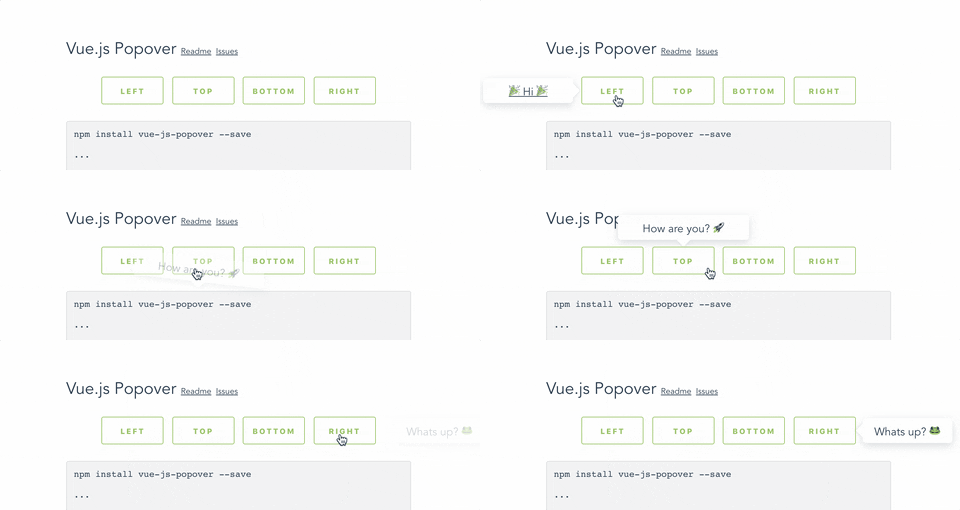
[Live demo here](http://vue-js-dropdown.yev.io/)
Install:
```bash
npm install vue-js-popover --save
```
Import:
```javascript
import Vue from 'vue'
import Popover from 'vue-js-popover'
Vue.use(Popover)
```
Use:
```vue
Hello
```
Or:
```vue
```
### Tooltip
Plugin contains a simple wrapper for `Tooltip`. To use it you will have to:
Set `tooltip` flag in your `main.js`:
```javascript
import VPopover from 'vue-js-popover'
Vue.use(VPopover, { tooltip: true })
```
Include `tooltip` component anywhere in the application:
```vue
```
Assign message to any element:
```vue
```
### Props
| Name | Type | Required | Description |
| ---------- | ---------------------- | -------- | ------------------------------------------------------ |
| name | String | + | ... |
| width | Number | - | ... |
| transition | String | - | ... |
| pointer | Boolean | - | If set - will show a tiny tip |
| event | `"click"` \| `"hover"` | - | Type of event that will trigger showing of the popover |
| delay | Number | - | Delay in milliseconds |
### Positioning
You can use `.left`, `.right`, `.top`, `.bottom` modifiers to set the position of the popover.
Example:
```vue
```
### Styling
Popover components have `data-popover="name"` argument that allows to apply styles to it.
Example:
```vue
Bar
```
```css
[data-popover='foo'] {
background: #444;
color: #f9f9f9;
font-size: 12px;
line-height: 1.5;
margin: 5px;
}
```