# editor
**Repository Path**: dremtri/editor
## Basic Information
- **Project Name**: editor
- **Description**: Notion-like WYSIWYG editor with AI-powered completions and real-time collaboration in Vue & Nuxt.
- **Primary Language**: Unknown
- **License**: MIT
- **Default Branch**: main
- **Homepage**: None
- **GVP Project**: No
## Statistics
- **Stars**: 0
- **Forks**: 0
- **Created**: 2026-03-07
- **Last Updated**: 2026-03-07
## Categories & Tags
**Categories**: Uncategorized
**Tags**: None
## README
# Nuxt Editor Template
[](https://ui.nuxt.com)
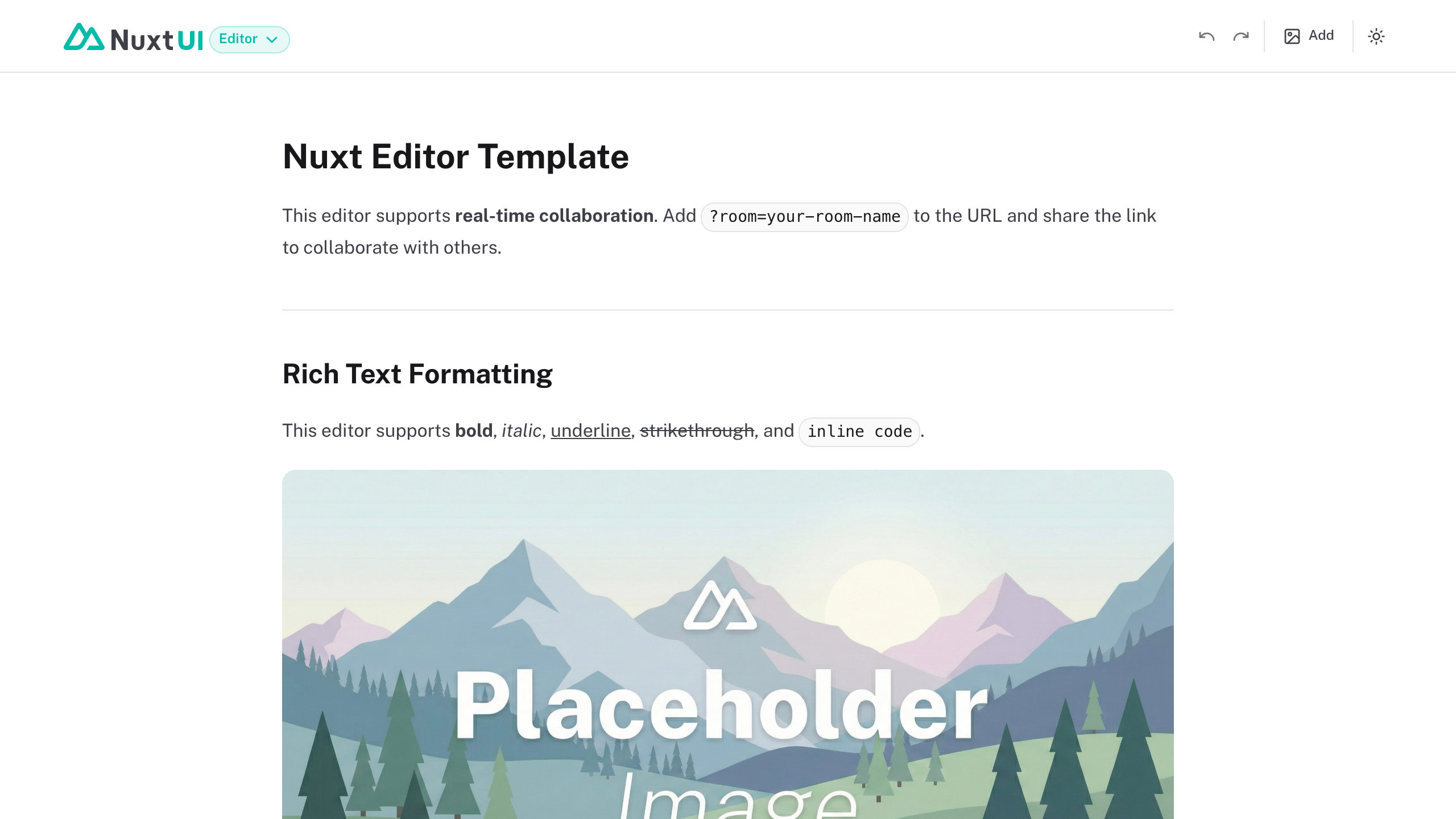
Notion-like WYSIWYG editor with AI-powered completions and real-time collaboration in Vue & Nuxt. Built with [Nuxt UI](https://ui.nuxt.com) and [TipTap](https://tiptap.dev), showcasing the powerful `UEditor` component with advanced editing capabilities.
- [Live demo](https://editor-template.nuxt.dev/)
- [Documentation](https://ui.nuxt.com/docs/components/editor)
## Features
- **Rich Text Editing** - Full formatting support with headings, lists, blockquotes, and code blocks
- **Tables** - Insert and edit tables with row/column controls and cell selection
- **Bubble & Fixed Toolbars** - Contextual toolbars that adapt to your selection
- **Drag Handle** - Easily reorder, duplicate, or delete content blocks
- **Slash Commands** - Type `/` to access quick insertion commands
- **Image Upload** - Custom image upload node powered by [NuxtHub](https://hub.nuxt.com/docs/blob) with [Vercel Blob](https://vercel.com/docs/vercel-blob)
- **Mentions** - `@mention` support with user suggestions
- **Emoji Picker** - Full GitHub emoji set with `:emoji:` syntax
- **Markdown Support** - Content type set to markdown for easy serialization
- **AI-powered Features** - Inline completions and text transformations powered by [Vercel AI SDK](https://ai-sdk.dev/)
- **Real-time Collaboration** - Optional collaborative editing powered by [PartyKit](https://partykit.io)
## Quick Start
```bash [Terminal]
npm create nuxt@latest -- -t github:nuxt-ui-templates/editor
```
## Deploy your own
[](https://vercel.com/new/clone?repository-name=editor&repository-url=https%3A%2F%2Fgithub.com%2Fnuxt-ui-templates%2Feditor&demo-image=https%3A%2F%2Fui.nuxt.com%2Fassets%2Ftemplates%2Fnuxt%2Feditor-dark.png&demo-url=https%3A%2F%2Feditor-template.nuxt.dev%2F&demo-title=Nuxt%20Editor%20Template&demo-description=Notion-like%20WYSIWYG%20editor%20with%20AI-powered%20completions%20and%20real-time%20collaboration%20in%20Vue%20%26%20Nuxt.&env=NUXT_PUBLIC_PARTYKIT_HOST&envDescription=PartyKit%20host%20URL%20for%20real-time%20collaboration%20(optional)&envLink=https%3A%2F%2Fdocs.partykit.io%2Fquickstart%2F)
## Setup
Make sure to install the dependencies:
```bash
pnpm install
```
### AI Integration (Optional)
This template includes AI-powered writing assistance using the [Vercel AI SDK](https://ai-sdk.dev/) and its [`useCompletion`](https://ai-sdk.dev/docs/reference/ai-sdk-ui/use-completion) composable for streaming text generation with support for multiple providers through [Vercel AI Gateway](https://vercel.com/docs/ai-gateway).
**AI Features:**
- **Inline Completions** - Trigger AI suggestions with `⌘J`, accept with `Tab`
- **Continue Writing** - Extend your content from the cursor position
- **Fix Spelling & Grammar** - Automatically correct selected text
- **Extend/Reduce Text** - Make selected content longer or shorter
- **Simplify** - Rewrite complex text in simpler terms
- **Summarize** - Generate a summary of selected content
- **Translate** - Translate selected text to English, French, Spanish, or German
Set your AI provider configuration in `.env`:
```bash
# AI Configuration via Vercel AI Gateway (unified API for all providers)
AI_GATEWAY_API_KEY=
```
> [!TIP]
> With Vercel AI Gateway, you don't need individual API keys for OpenAI, Anthropic, etc. The AI Gateway provides a unified API to access hundreds of models through a single endpoint with automatic load balancing, fallbacks, and spend monitoring.
### Blob Storage (Optional)
This template uses [NuxtHub Blob](https://hub.nuxt.com/docs/blob) for image uploads, which supports multiple storage providers:
- **Local filesystem** (default for development)
- **Vercel Blob** (auto-configured when deployed to Vercel)
- **Cloudflare R2** (auto-configured when deployed to Cloudflare)
- **Amazon S3** (with manual configuration)
For **[Vercel Blob](https://vercel.com/docs/vercel-blob)** (used by default via `@vercel/blob`), assign a Blob Store to your project from the Vercel dashboard (Project → Storage), then set the token for local development:
```bash
BLOB_READ_WRITE_TOKEN=
```
For **S3-compatible storage**, set:
```bash
S3_ACCESS_KEY_ID=
S3_SECRET_ACCESS_KEY=
S3_BUCKET=
S3_REGION=
```
> Without configuration, files are stored locally in `.data/blob` during development.
### Collaboration (Optional)
This template includes optional real-time collaboration powered by [Y.js](https://yjs.dev), a CRDT framework for building collaborative applications. This example uses [PartyKit](https://partykit.io) as the Y.js provider, but you can swap it for alternatives like [Liveblocks](https://liveblocks.io/) or [Tiptap Collaboration](https://tiptap.dev/product/collaboration).
To enable collaboration with PartyKit:
1. Create and deploy a PartyKit server following the [PartyKit Quickstart](https://docs.partykit.io/quickstart/):
```bash
npm create partykit@latest
npx partykit deploy
```
2. Set your PartyKit host in `.env`:
```bash
NUXT_PUBLIC_PARTYKIT_HOST=your-project.username.partykit.dev
```
3. Add `?room=your-room-name` to the URL to collaborate. All users with the same room name will edit together in real-time.
> Without the environment variable or `?room=` parameter, the editor works standalone without collaboration.
## Development Server
Start the development server on `http://localhost:3000`:
```bash
pnpm dev
```
## Production
Build the application for production:
```bash
pnpm build
```
Locally preview production build:
```bash
pnpm preview
```
Check out the [deployment documentation](https://nuxt.com/docs/getting-started/deployment) for more information.