# lua-webview
**Repository Path**: dongchen1020/lua-webview
## Basic Information
- **Project Name**: lua-webview
- **Description**: No description available
- **Primary Language**: Unknown
- **License**: MIT
- **Default Branch**: master
- **Homepage**: None
- **GVP Project**: No
## Statistics
- **Stars**: 0
- **Forks**: 0
- **Created**: 2026-04-19
- **Last Updated**: 2026-04-19
## Categories & Tags
**Categories**: Uncategorized
**Tags**: None
## README
## Overview
The Lua webview module provides functions to open a web page in a dedicated window from [Lua](http://www.lua.org/).
```lua
require('webview').open('http://www.lua.org/')
```
It uses *gtk-webkit2* on Linux and *MSHTML* (IE10/11) or *Edge* (Chromium) on Windows.
Lua can evaluate JavaScript code and JavaScript can call a registered Lua function, see the `simple.lua` file in the examples.
This module is a binding of the tiny cross-platform [webview-c](https://github.com/javalikescript/webview-c) C library.
This module is part of the [luaclibs](https://github.com/javalikescript/luaclibs) project,
the binaries can be found on the [luajls](https://github.com/javalikescript/luajls/releases/latest) releases.
You could also install it using [LuaRocks](#luarocks).
Lua webview is covered by the MIT license.
## Build
The Lua webview module could be build using the rock makefile.
```lua
make -f rock.mk PLAT=windows MAKE=make CC=gcc LD=gcc LUA_LIBDIR=.../lib LUA_INCDIR=.../include LUA=.../bin/lua54.exe
```
## Usage
[Fast Cut](https://github.com/javalikescript/fcut) is an advanced example of webview usage.
It allows to visually cut and join videos then export them losslessly thanks to FFmpeg.
## Launcher
An optional Lua launcher module `webview-launcher.lua` is available.
The HTML scripts using the type `text/lua` will be loaded automatically.
The Lua scripts could expose named functions with callbacks to JavaScript.
```html
```
or using a Lua file
```html
```
Additionally a JavaScript file `webview-init.js` is available to deal with the launcher initialization including in case of reloading.
The launcher supports events in Lua when used with [luajls](https://github.com/javalikescript/luajls).
## Examples
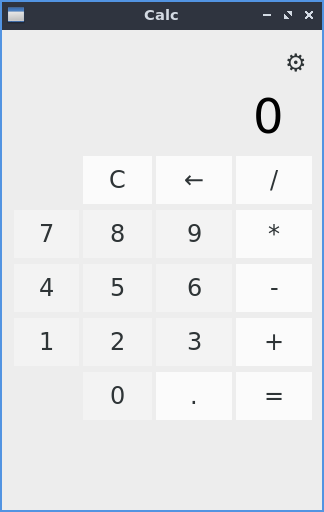
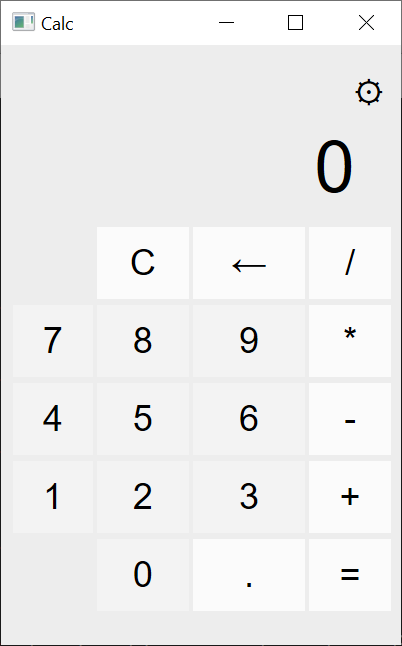
Using an HTTP server
```sh
lua examples/calc.lua
```
Using the file system
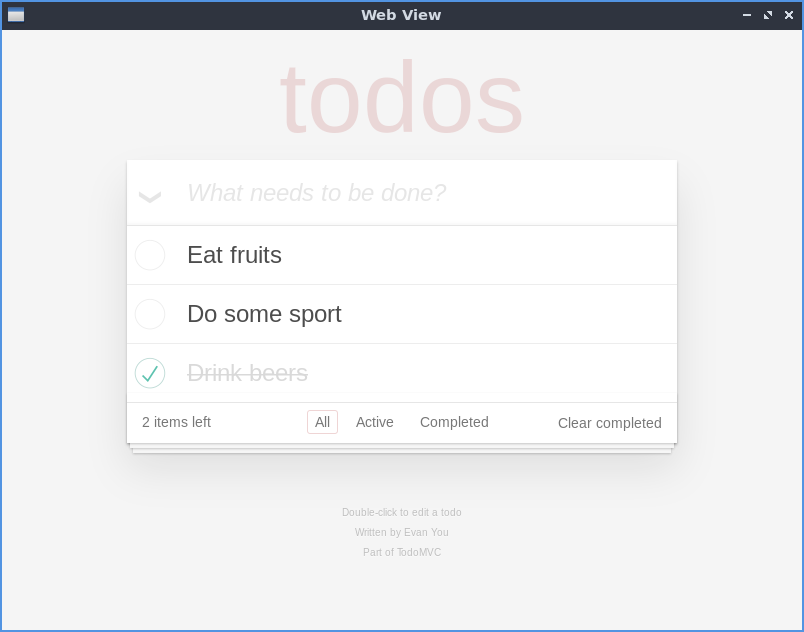
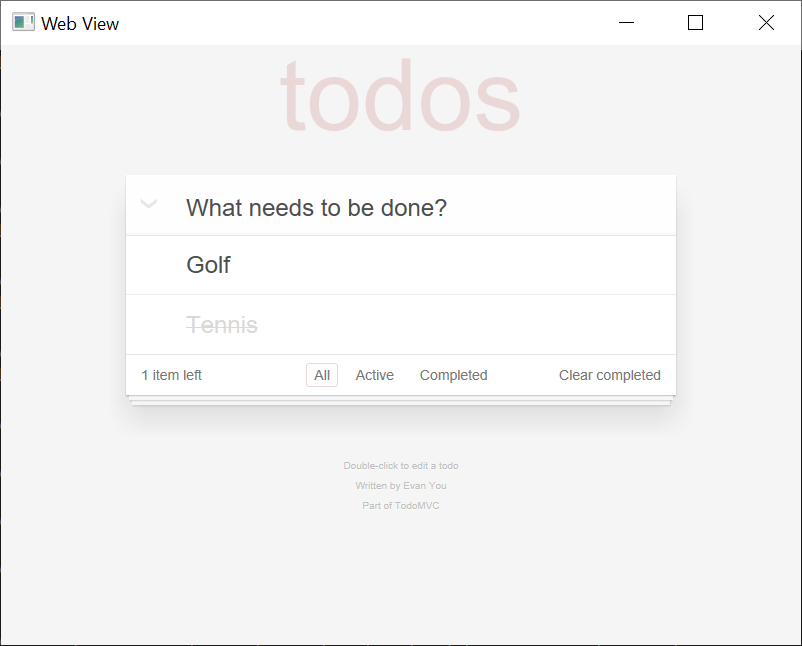
```sh
lua examples/open.lua %CD%\examples\htdocs\todo.html
```
Pure Lua
```sh
wlua54 examples/simple.lua
```
Generic launcher, with helper function to pass JSON objects and more
```sh
lua examples/launch.lua examples/htdocs/simple.html --wv-event=thread
```
## LuaRocks
Lua webview can be intalled using LuaRocks
### LuaRocks on Linux
Prerequisites:
```sh
sudo apt install luarocks lua5.3 lua5.3-dev
sudo apt install libgtk-3-dev libwebkit2gtk-4.0-dev
```
```sh
luarocks install lua-webview --local
```
### LuaRocks on Windows
Prerequisites:
Download the Lua 64 bits dynamic libraries built with MinGW-w64 from [Lua Binaries](https://sourceforge.net/projects/luabinaries/).
Add [MSYS2](https://www.msys2.org/), MinGW-w64 and [git](https://git-scm.com/) in the path.
```Batchfile
luarocks --lua-dir C:/bin/lua-5.3.5 MAKE=make CC=gcc LD=gcc install lua-webview
```
Take care to use forward slashes for the Lua path.
 Using the file system
```sh
lua examples/open.lua %CD%\examples\htdocs\todo.html
```
Using the file system
```sh
lua examples/open.lua %CD%\examples\htdocs\todo.html
```
 Pure Lua
```sh
wlua54 examples/simple.lua
```
Pure Lua
```sh
wlua54 examples/simple.lua
```
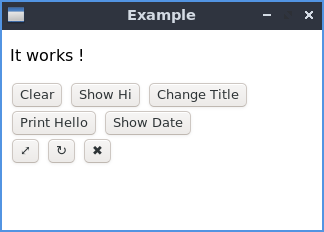
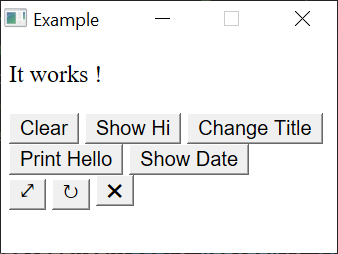 Generic launcher, with helper function to pass JSON objects and more
```sh
lua examples/launch.lua examples/htdocs/simple.html --wv-event=thread
```
## LuaRocks
Lua webview can be intalled using LuaRocks
### LuaRocks on Linux
Prerequisites:
```sh
sudo apt install luarocks lua5.3 lua5.3-dev
sudo apt install libgtk-3-dev libwebkit2gtk-4.0-dev
```
```sh
luarocks install lua-webview --local
```
### LuaRocks on Windows
Prerequisites:
Download the Lua 64 bits dynamic libraries built with MinGW-w64 from [Lua Binaries](https://sourceforge.net/projects/luabinaries/).
Add [MSYS2](https://www.msys2.org/), MinGW-w64 and [git](https://git-scm.com/) in the path.
```Batchfile
luarocks --lua-dir C:/bin/lua-5.3.5 MAKE=make CC=gcc LD=gcc install lua-webview
```
Take care to use forward slashes for the Lua path.
Generic launcher, with helper function to pass JSON objects and more
```sh
lua examples/launch.lua examples/htdocs/simple.html --wv-event=thread
```
## LuaRocks
Lua webview can be intalled using LuaRocks
### LuaRocks on Linux
Prerequisites:
```sh
sudo apt install luarocks lua5.3 lua5.3-dev
sudo apt install libgtk-3-dev libwebkit2gtk-4.0-dev
```
```sh
luarocks install lua-webview --local
```
### LuaRocks on Windows
Prerequisites:
Download the Lua 64 bits dynamic libraries built with MinGW-w64 from [Lua Binaries](https://sourceforge.net/projects/luabinaries/).
Add [MSYS2](https://www.msys2.org/), MinGW-w64 and [git](https://git-scm.com/) in the path.
```Batchfile
luarocks --lua-dir C:/bin/lua-5.3.5 MAKE=make CC=gcc LD=gcc install lua-webview
```
Take care to use forward slashes for the Lua path.